✨ Featured sponsor: CodeRabbit — Industry-leading AI code reviews.

Your thoughts, your data, shared on your terms.
Memos is a timeline for your notes, and it belongs to you. Write in Markdown, post in seconds, and choose who sees each memo: just you, the people you invite, or anyone with the link.
Run with Docker · Try the live demo · Read the docs




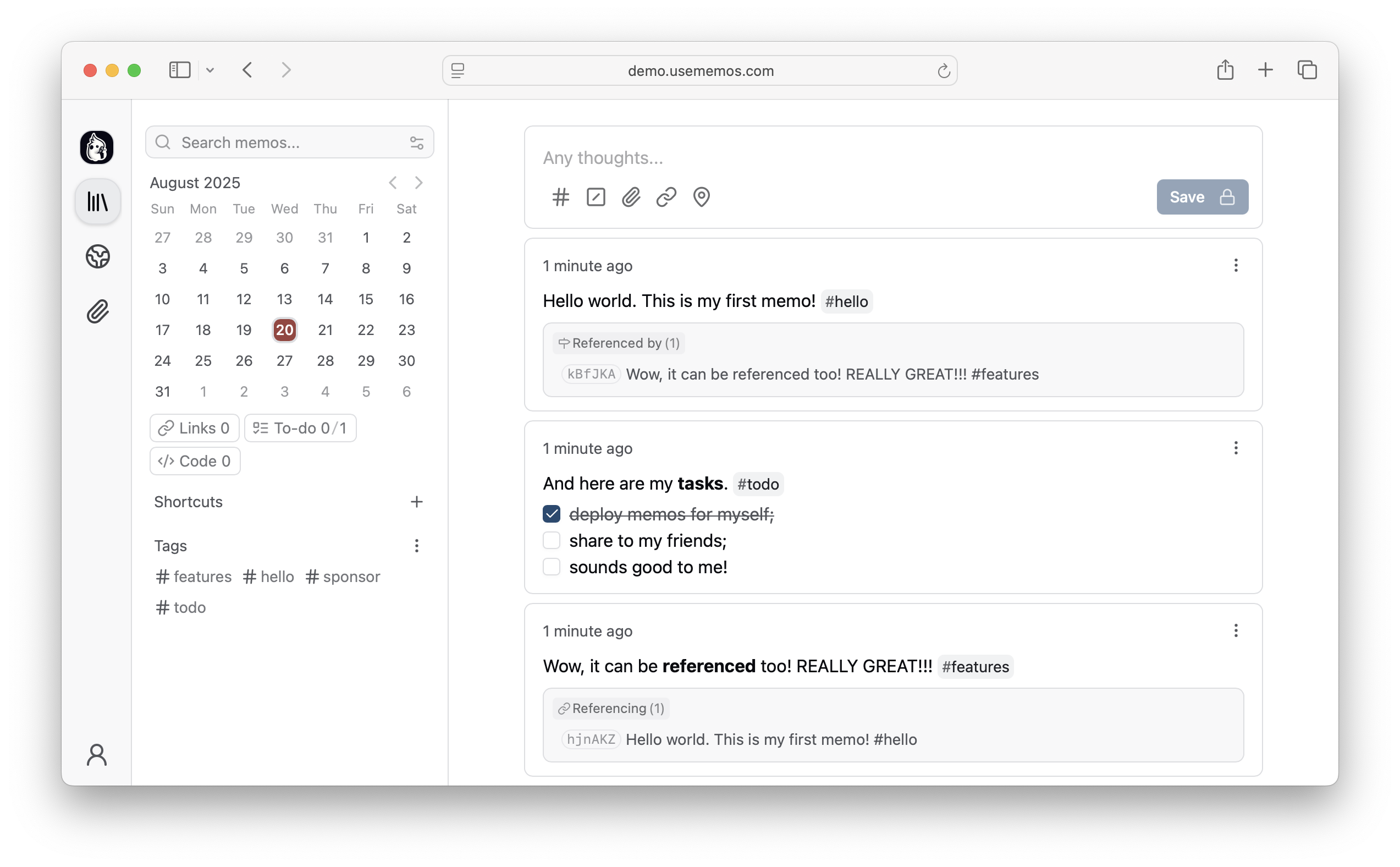
- Write first — Save a thought without choosing a title or folder. Memos are written in Markdown and can include images and files.
- Find it later — Search, filter by tag, or look back through any day on the timeline. Pin what matters and save the filters you reuse as views.
- Yours to keep — Self-host Memos with zero telemetry, MIT-licensed source, and a full export of your memos.
- Share when you choose — New memos are private. Make one visible to signed-in users or public when you want to share it.
Run Memos with Docker:
docker run -d \
  --name memos \
  -p 5230:5230 \
  -v ~/.memos:/var/opt/memos \
  neosmemo/memos:stable
Other install options are in the deployment guide.
Releases use YY.MM, with optional point releases such as 26.09.1 and release
candidates such as 26.09-rc.1. Calendar release tags have no v prefix. The Docker stable tag follows stable releases;
canary follows development builds. If upgrading from a release before v0.31.0,
run v0.31.0 successfully.
See the upgrade requirements for earlier versions.
Save pages, selections, and images from your browser straight into Memos as source-linked Markdown. Get the Memos Web Clipper for Chrome or Firefox.


Love Memos? Sponsor the project on GitHub.
Read the docs, join Discord, or ask in GitHub Discussions. Found a bug or have an idea? Open an issue. To contribute, see the contributing guide.